Salesbricks integrates directly with ChartMogul to keep your MRR analytics up to date automatically. Setup takes under five minutes.

Before you start

You’ll need:
  • A ChartMogul account with Staff, Admin, or Owner role (required to create API keys)
  • Salesbricks Admin access (required to access Settings)

Steps

1

Get your ChartMogul API key

  1. In ChartMogul, go to Admin → API Access Manager
  2. Create a new read & write API key
  3. Copy the key — you’ll need it in the next step
For detailed instructions, see ChartMogul’s API getting started guide.
2

Add the API key in Salesbricks

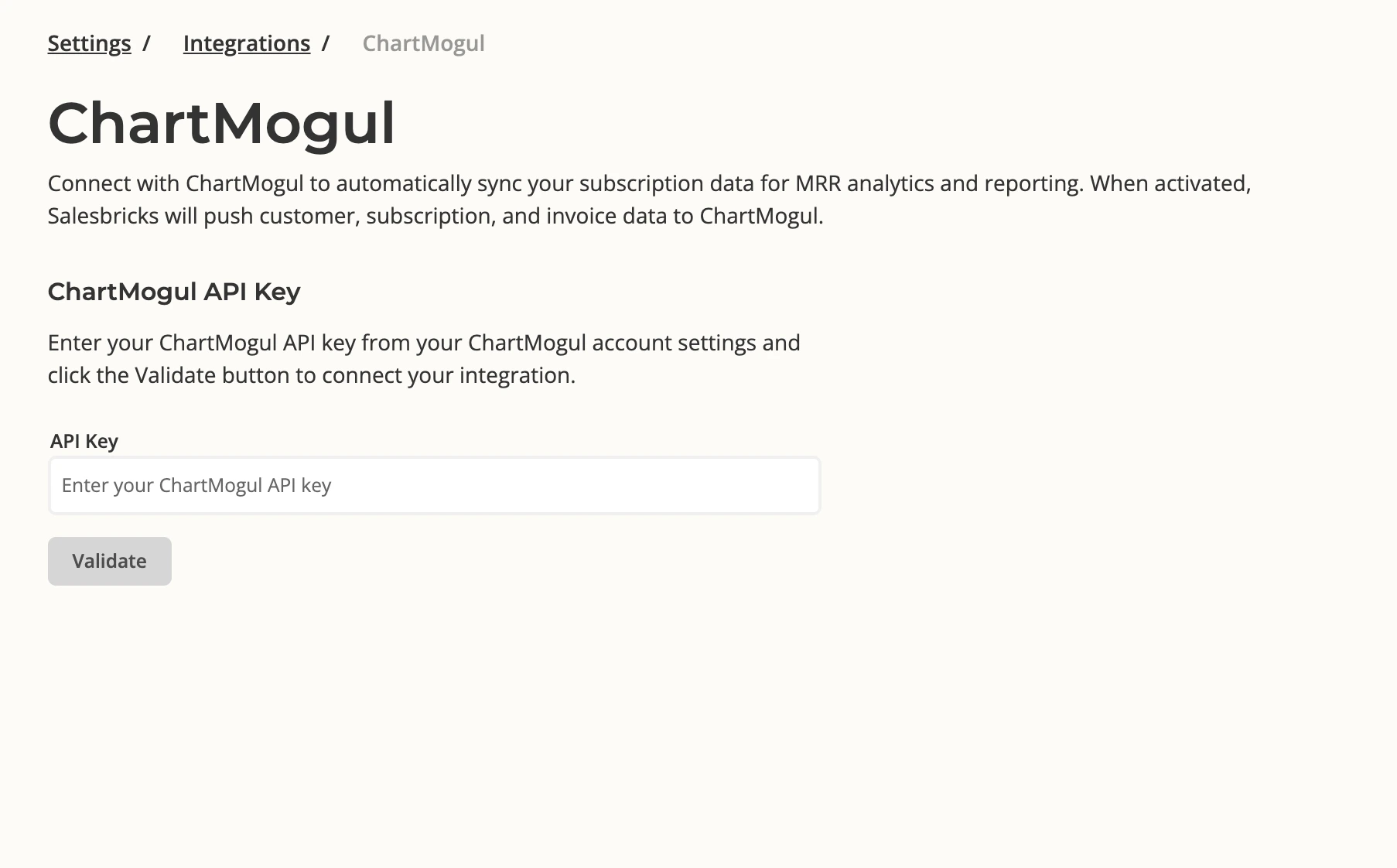
  1. In Salesbricks, navigate to Settings → Integrations → ChartMogul
  2. Paste your API key into the API Key field
  3. Click Validate
Salesbricks ChartMogul settings page with API key field
Salesbricks will verify the key against your ChartMogul account. If validation succeeds, the integration activates immediately.
3

Confirm the connection

Once connected, the ChartMogul page in Salesbricks will show:
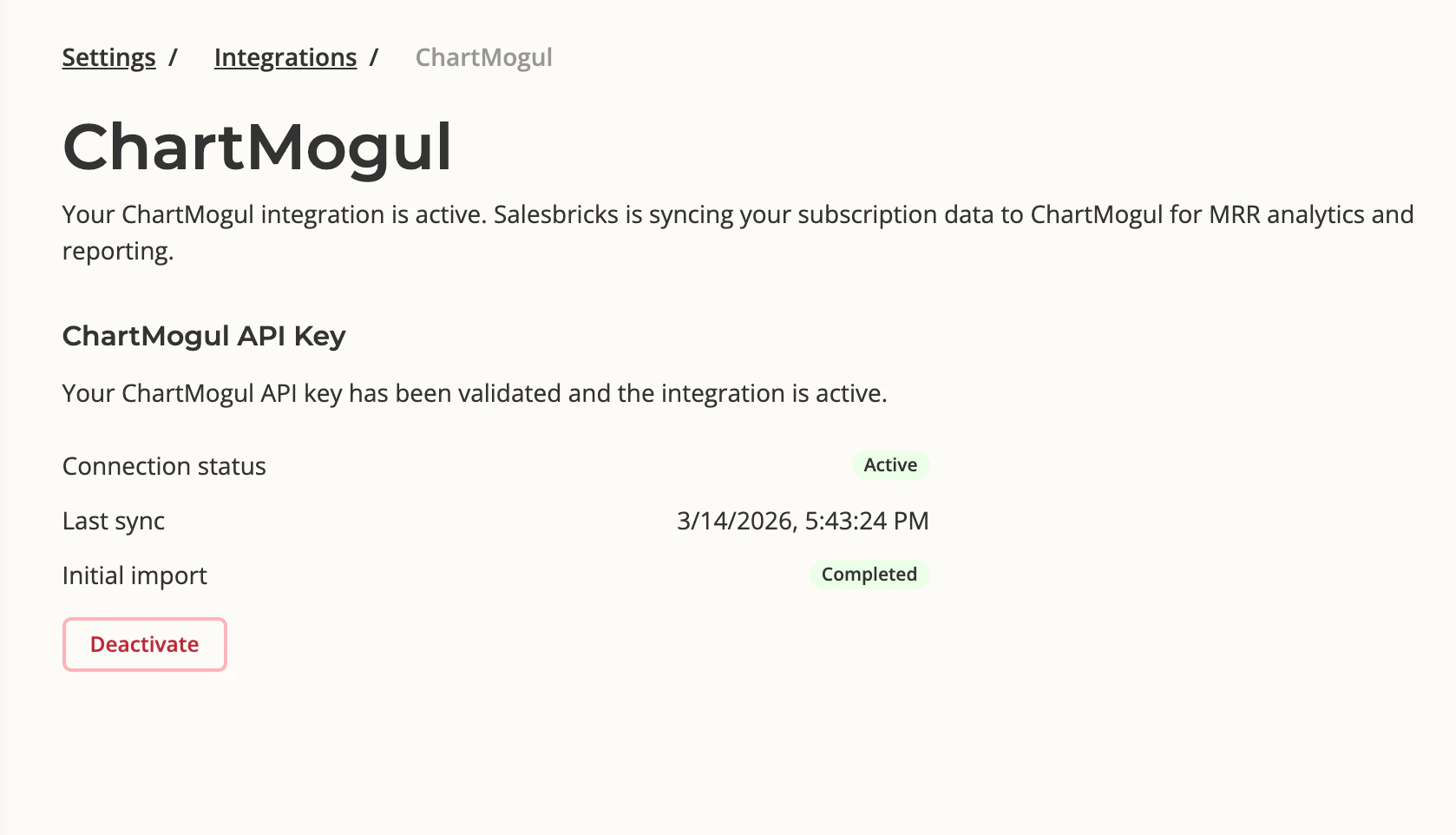
  • Connection status: Active
  • Last sync: timestamp of the most recent data push
  • Initial import: Completed (once the historical backfill has finished)
Salesbricks ChartMogul settings page showing Active status
4

Verify data in ChartMogul

In ChartMogul, go to Settings & Data → Sources. You’ll see a Salesbricks source listed there.
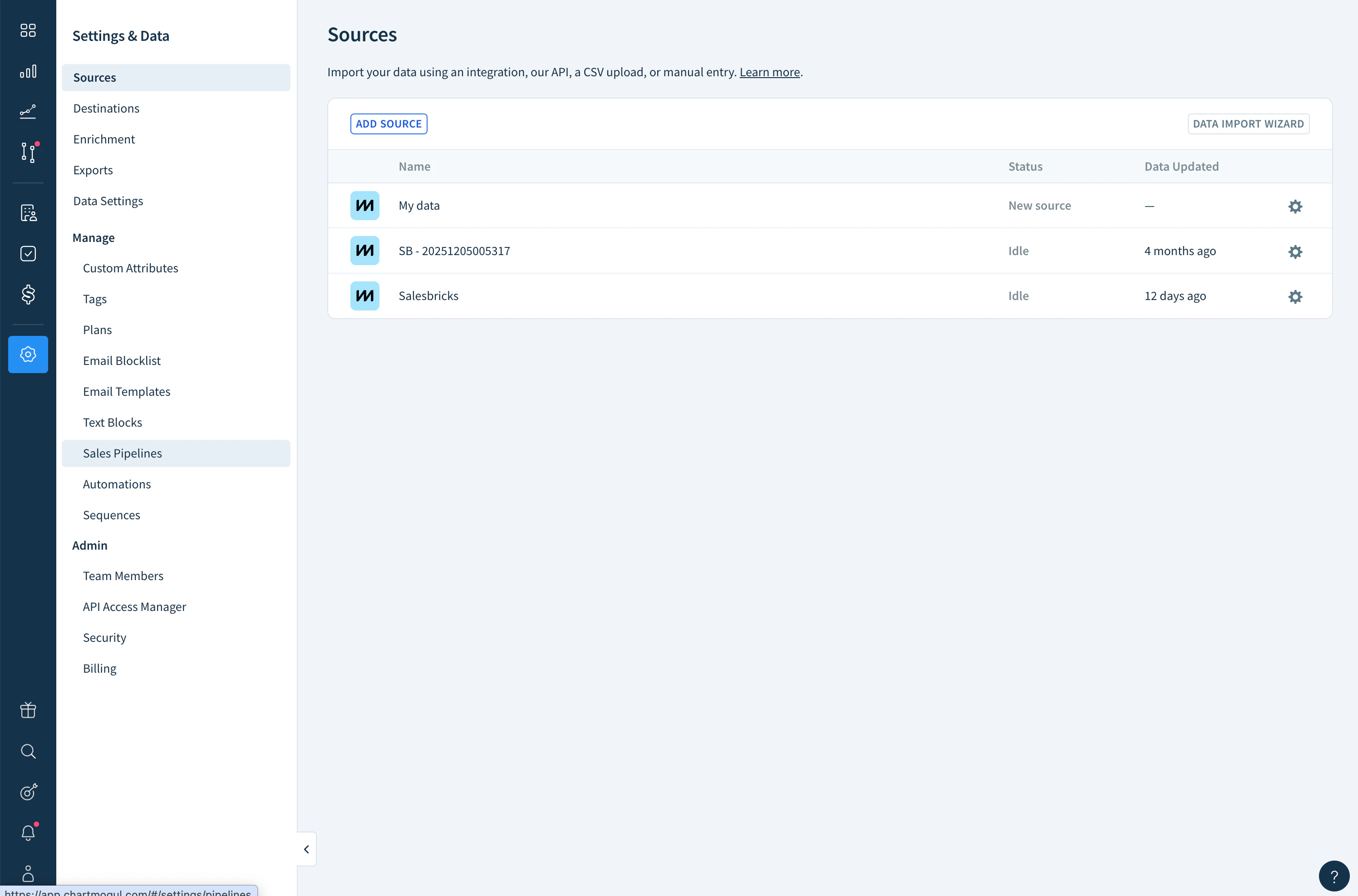
ChartMogul Sources page showing Salesbricks source
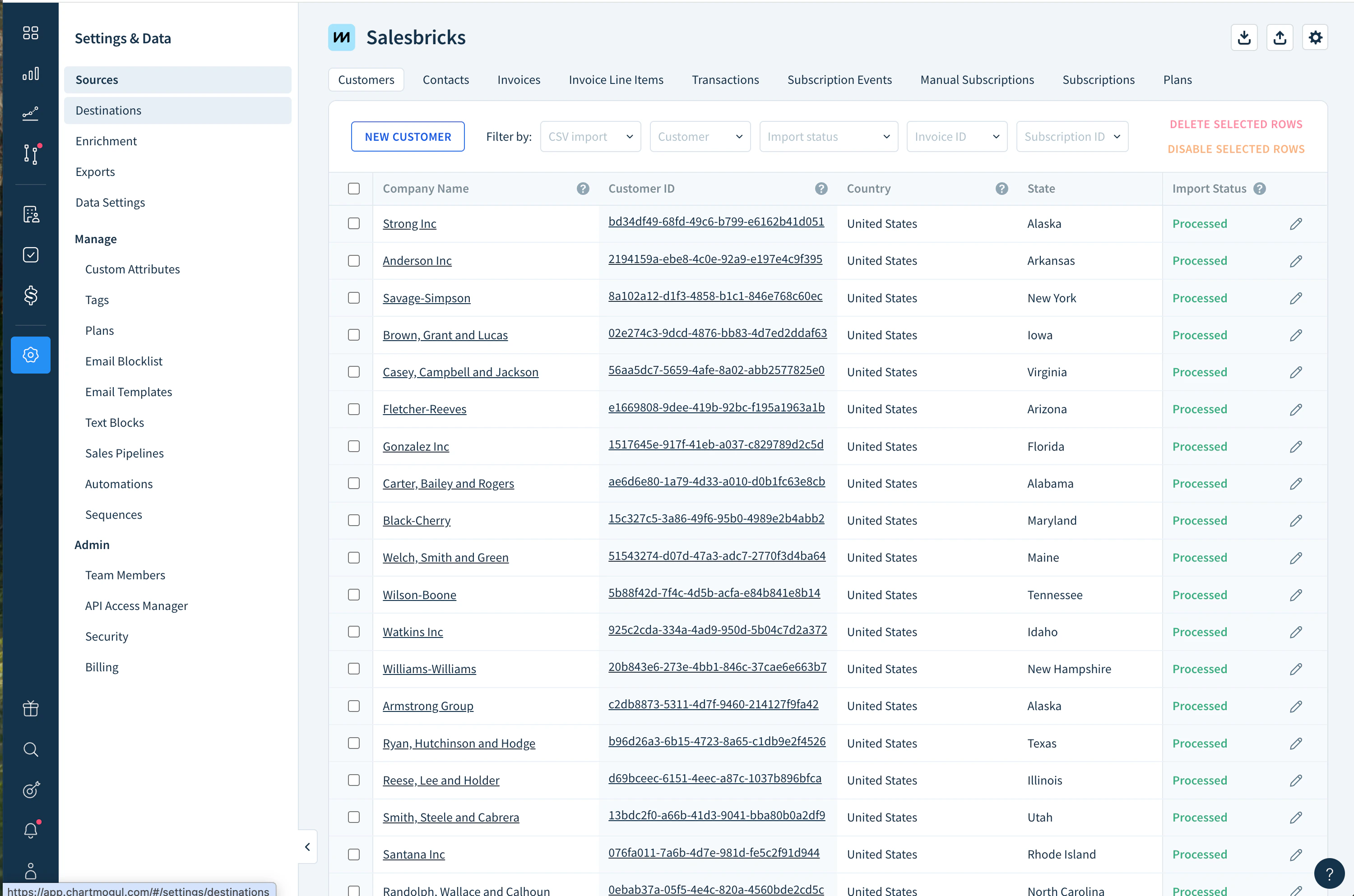
Once the initial import completes, the Customers view will show your companies with an Import Status of Processed.
ChartMogul Customers view showing processed records from Salesbricks

What happens next

A one-time historical import runs automatically after connection, pulling in all your past closed deals. New invoices, payments, upgrades, and cancellations are then pushed to ChartMogul in real time as they happen. For a full breakdown of what data is synced, see What Salesbricks Syncs to ChartMogul. If you have any questions or concerns, feel free to reach out to the Salesbricks Support team via your Slack Connect channel.